Stacked Area
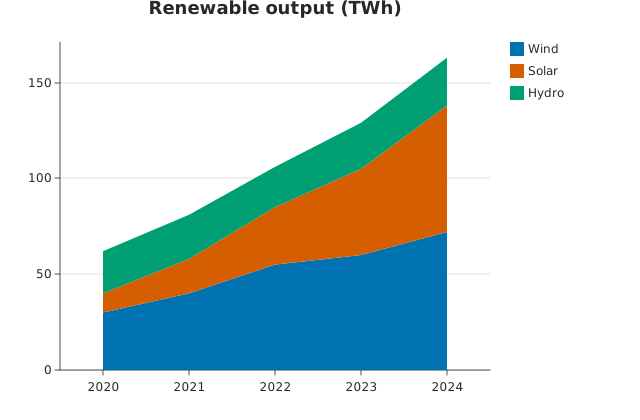
stacked_area() over a long-form dataframe_mojo DataFrame (#743): one row per (series, category) pair, with value holding the cell.
Usage
from dataviz import stacked_area
from dataviz import save

def main() raises:
    var years: List[String] = ["2020", "2021", "2022", "2023", "2024"]
    var sources: List[String] = ["Wind", "Solar", "Hydro"]
    var output: List[List[Int]] = [
        [30, 40, 55, 60, 72],
        [10, 18, 30, 45, 66],
        [22, 23, 21, 24, 25],
    ]

    var c = stacked_area(
        years, sources, output, title="Renewable output (TWh)"
    )
    save(c, "docs/src/examples/out_stacked_area.svg")
See Data shapes for shared input conventions.
Args:
df: The frame to read.category: The string column naming each category.series: The string column naming each band.value: The numeric column holding each cell.smoothing: How much each band curves; see the list overload.step: Step (stairs) interpolation; see the list overload.theme: Full styling knobs beyond this function’s own parameters.width: Pixel width of the returnedPlot(.size()).height: Pixel height of the returnedPlot(.size()).title: The chart’s title, shown above the plot.subtitle: A line under the title.x_title: The x-axis caption; defaults tocategory.y_title: The y-axis caption; defaults tovalue.
Related
Related charts: Streamgraph · Candlestick
Relevant API: stacked_area