Density Curve
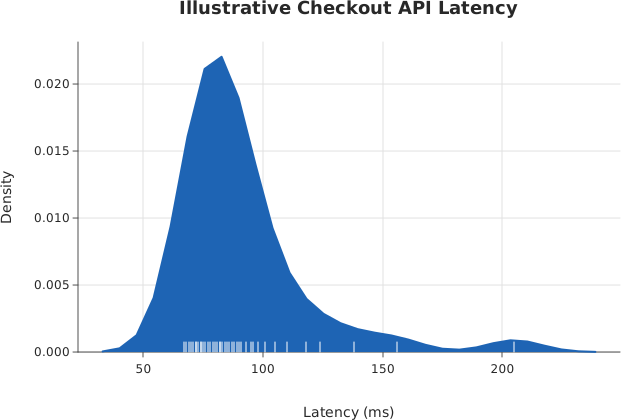
A kernel-density curve over raw observations: the smooth estimate of a distribution’s shape, without a histogram’s bin-width choice.
Usage
from dataviz import kdeplot
from dataviz import save

def main() raises:
    # Illustrative checkout API latency (ms): a dense main mode with a
    # long tail from a handful of slow requests.
    var latency_ms: List[Float64] = [
        84.0, 72.0, 91.0, 68.0, 75.0, 88.0, 79.0, 73.0,
        96.0, 82.0, 77.0, 69.0, 85.0, 74.0, 101.0, 80.0,
        71.0, 93.0, 76.0, 87.0, 83.0, 70.0, 78.0, 89.0,
        81.0, 95.0, 67.0, 86.0, 72.0, 90.0, 110.0, 124.0,
        138.0, 156.0, 205.0, 98.0, 105.0, 118.0, 74.0, 82.0,
    ]
    var c = kdeplot(
        latency_ms,
        fill=True,
        rug=True,
        title="Illustrative Checkout API Latency",
        x_title="Latency (ms)",
        y_title="Density",
    )
    save(c, "docs/src/examples/out_kdeplot.svg")
See Data shapes for shared input conventions.
Args:
values: The observations.bandwidth: Kernel bandwidth; not positive uses Silverman’s rule.fill: Shade the curve down to zero as well as stroking it.rug: Draw each observation as a tick along the baseline.theme: Colors, sizes and spacing.width: Canvas width in pixels.height: Canvas height in pixels.title: Chart title.subtitle: Smaller line under the title.x_title: X-axis label.y_title: Y-axis label.
Related
Related charts: Ridgeline · Rug
Relevant API: kdeplot