Dendrogram
Cluster rows and draw the merge tree as brackets (#355).
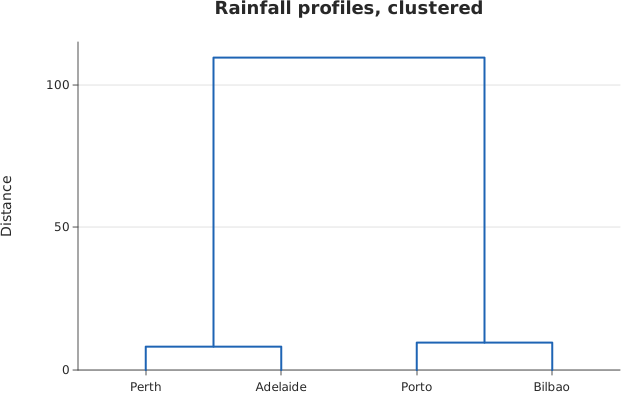
Usage
from dataviz import dendrogram, save

def main() raises:
    # Four cities' illustrative monthly rainfall, in mm.
    var rows: List[List[Float64]] = [
        [80.0, 70.0, 65.0, 55.0, 45.0, 30.0],
        [75.0, 68.0, 60.0, 52.0, 40.0, 28.0],
        [10.0, 12.0, 18.0, 30.0, 55.0, 70.0],
        [12.0, 15.0, 20.0, 34.0, 58.0, 75.0],
    ]
    var names: List[String] = [
        "Porto",
        "Bilbao",
        "Perth",
        "Adelaide",
    ]
    var c = dendrogram(
        rows,
        names,
        title="Rainfall profiles, clustered",
        y_title="Distance",
    )
    save(c, "docs/src/examples/out_dendrogram.svg")
See Data shapes for shared input conventions.
Args:
rows: One list per thing being clustered, all the same length.labels: One name per row; empty numbers them from 0.metric: How far apart two rows are.method: How far apart two clusters are.theme: Full styling knobs beyond this function’s own arguments.width: Canvas width in points.height: Canvas height in points.title: Chart title; empty for none.subtitle: Chart subtitle; empty for none.x_title: X-axis title; empty for none.y_title: Y-axis title; empty for none.
Related
Related charts: Treemap
Relevant API: dendrogram