3D Wireframe
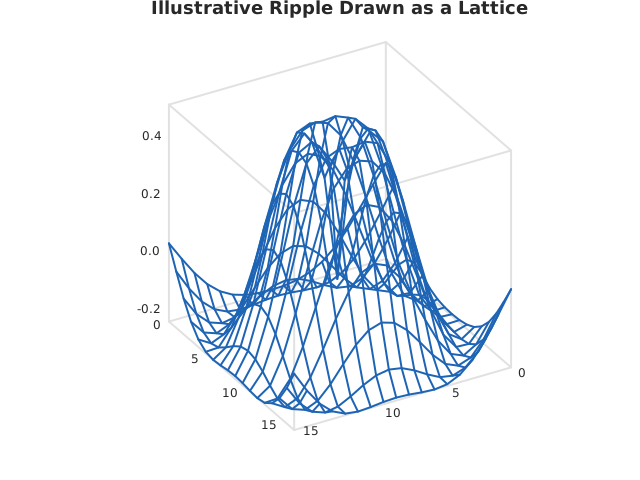
wire3d() over a long-form dataframe_mojo DataFrame (#743): one row per cell, with row and column giving the cell’s coordinates and value its height.
Usage
from std.math import sqrt, sin

from dataviz import save, wire3d

def main() raises:
    # Illustrative ripple, on a grid coarse enough to see through.
    var z = List[List[Float64]]()
    for r in range(18):
        var row = List[Float64]()
        for c in range(18):
            var u = (Float64(c) - 9.0) / 3.0
            var v = (Float64(r) - 9.0) / 3.0
            var d = sqrt(u * u + v * v)
            row.append(sin(d * 1.6) / (1.0 + d))
        z.append(row^)

    var c = wire3d(z, title="Illustrative Ripple Drawn as a Lattice")
    save(c, "docs/src/examples/out_wire3d.svg")
See Data shapes for shared input conventions.
Args:
df: The frame to read.row: The numeric column giving each cell’s row coordinate.column: The numeric column giving each cell’s column coordinate.value: The numeric column holding each cell.elev: Degrees to look down on the scene from.azim: Degrees to turn the scene through.theme: Full styling knobs beyond this function’s own parameters.width: Pixel width of the returnedPlot(.size()).height: Pixel height of the returnedPlot(.size()).title: The chart’s title, shown above the plot.subtitle: A line under the title.
Related
Related charts: 3D Surface · 3D Triangulated Surface
Relevant API: wire3d