Triangular Mesh
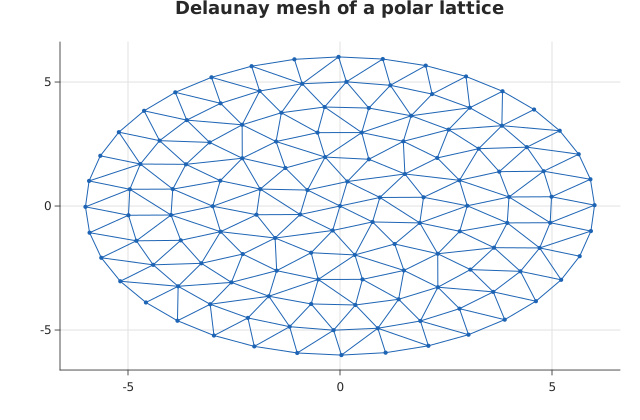
triplot() over named columns of a dataframe_mojo DataFrame (#743). Each argument names a column instead of holding the values. The axis titles default to the x and y column names.
Usage
from std.math import cos, sin

from dataviz import triplot
from dataviz import save

def main() raises:
    # Samples on a polar lattice: one per ring, each ring turned
    # a little against the one inside it so no two rings line up
    # radially. Delaunay adapts the cell size to the local
    # density, so the mesh coarsens outward on its own.
    var x: List[Float64] = [0.0]
    var y: List[Float64] = [0.0]
    for ring in range(1, 7):
        var r = Float64(ring)
        var spokes = 6 * ring
        var turn = 0.35 * Float64(ring)
        for s in range(spokes):
            var a = 6.283185307179586 * Float64(s) / Float64(spokes)
            x.append(r * cos(a + turn))
            y.append(r * sin(a + turn))

    var c = triplot(x, y, title="Delaunay mesh of a polar lattice")
    save(c, "docs/src/examples/out_triplot.svg")
See Data shapes for shared input conventions.
Args:
df: The frame to read.x: The numeric column for this channel.y: The numeric column for this channel.show_points: See the list overload.theme: See the list overload.width: See the list overload.height: See the list overload.title: See the list overload.subtitle: See the list overload.x_title: See the list overload.y_title: See the list overload.
Related
Related charts: Scattered Contour (Filled) · Triangular Mesh (Colored)
Relevant API: triplot