Bullet Styling
Bullet Styling
Use this when: You need to recolor a bullet chart’s own qualitative-range band (light-to-dark gray by default) to a tint that matches a report’s palette, and thicken the measure bar drawn over it for better contrast.
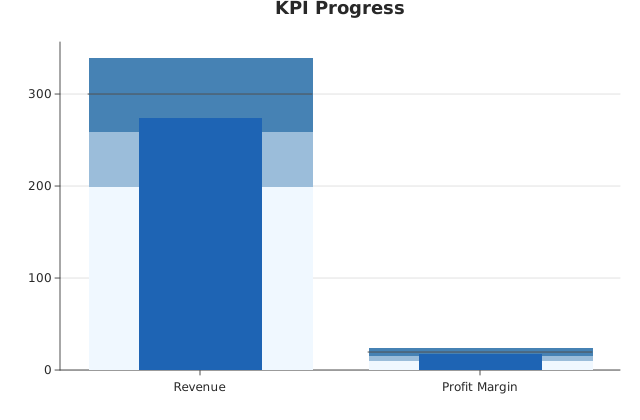
Usage
from dataviz import save, bullet
from dataviz.core.colors import ALICEBLUE, STEELBLUE
from dataviz.core.theme import Theme


def main() raises:
    var categories: List[String] = ["Revenue", "Profit Margin"]
    var measures: List[Float64] = [275.0, 18.0]
    var targets: List[Float64] = [300.0, 20.0]
    var ranges: List[List[Float64]] = [
        [200.0, 260.0, 340.0],
        [10.0, 16.0, 24.0],
    ]

    var plot = bullet(
        categories,
        measures,
        targets,
        ranges,
        theme=Theme(
            bullet_range_color_light=ALICEBLUE,
            bullet_range_color_dark=STEELBLUE,
        ),
        measure_width_fraction=0.55,
        title="KPI Progress",
    )
    save(plot, "docs/src/examples/out_bullet_styling.svg")
Related
Related recipes: Continuous Legend Size · Half-Circle Gauge
Relevant API: Theme · OutputFormat