High-Contrast Theme
High-Contrast Theme
Use this when: You need to apply high_contrast() for stronger text, axes, gridlines, and marks.
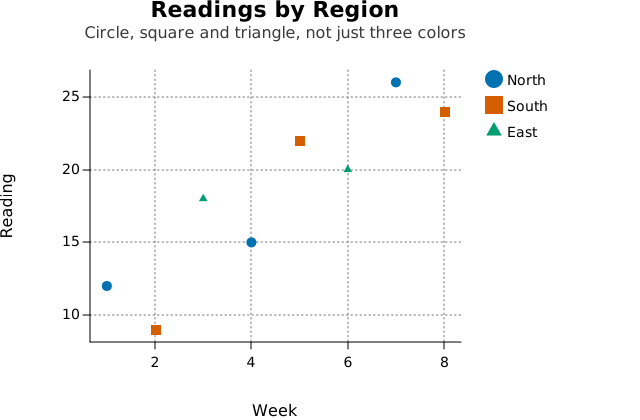
Usage
from dataviz import Plot, save
from dataviz.core.themes import high_contrast


def main() raises:
    var x: List[Float64] = [1.0, 2.0, 3.0, 4.0, 5.0, 6.0, 7.0, 8.0]
    var y: List[Float64] = [12.0, 9.0, 18.0, 15.0, 22.0, 20.0, 26.0, 24.0]
    var region: List[String] = [
        "North",
        "South",
        "East",
        "North",
        "South",
        "East",
        "North",
        "South",
    ]

    var plot = (
        Plot()
        .mark_point()
        .encode(x=x, y=y, color_categories=region)
        .labels(
            title="Readings by Region",
            subtitle="Circle, square and triangle, not just three colors",
            x_title="Week",
            y_title="Reading",
        )
        .theme(high_contrast())
    )
    save(plot, "docs/src/examples/out_high_contrast_theme.svg")
Related
Related recipes: Black-and-White Multi-Series · Print-Safe (Grayscale) Theme