Legend Sizing
Legend Sizing
Use this when: You need to shrink a categorical legend’s own swatches and row spacing.
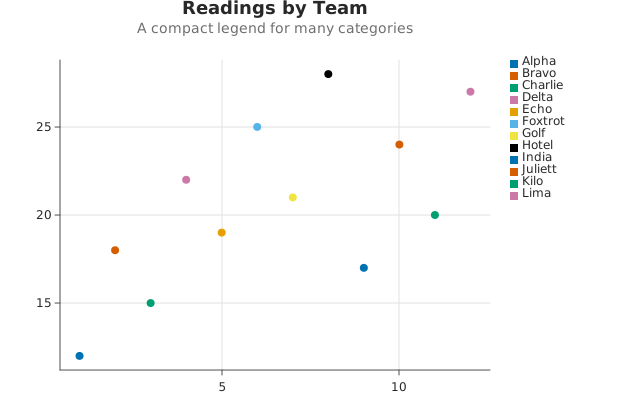
Usage
from dataviz import Plot, save
from dataviz.core.theme import Theme


def main() raises:
    var x: List[Float64] = [
        1.0,
        2.0,
        3.0,
        4.0,
        5.0,
        6.0,
        7.0,
        8.0,
        9.0,
        10.0,
        11.0,
        12.0,
    ]
    var y: List[Float64] = [
        12.0,
        18.0,
        15.0,
        22.0,
        19.0,
        25.0,
        21.0,
        28.0,
        17.0,
        24.0,
        20.0,
        27.0,
    ]
    var team: List[String] = [
        "Alpha",
        "Bravo",
        "Charlie",
        "Delta",
        "Echo",
        "Foxtrot",
        "Golf",
        "Hotel",
        "India",
        "Juliett",
        "Kilo",
        "Lima",
    ]

    var plot = (
        Plot()
        .mark_point()
        .encode(x=x, y=y, color_categories=team)
        .labels(
            title="Readings by Team",
            subtitle="A compact legend for many categories",
        )
        .theme(Theme(legend_swatch_size=8, legend_row_gap=4))
    )
    save(plot, "docs/src/examples/out_legend_sizing.svg")
Related
Related recipes: Smoothed Line · Continuous Legend Size
Relevant API: Theme · OutputFormat