Subtitle & Axis Title Styling
Subtitle & Axis Title Styling
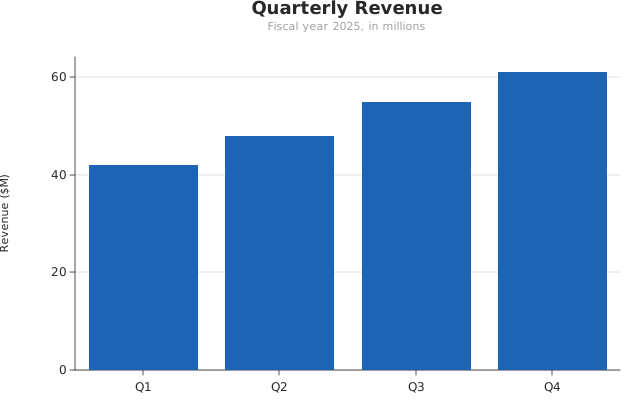
Use this when: You need to shrink and recolor the subtitle and axis titles so they read as clearly subordinate to the title.
Usage
from canvas.color import Color
from dataviz import Plot, save
from dataviz.core.theme import Theme


def main() raises:
    var quarters: List[String] = ["Q1", "Q2", "Q3", "Q4"]
    var revenue: List[Float64] = [42.0, 48.0, 55.0, 61.0]

    var plot = (
        Plot()
        .mark_bar()
        .encode_categorical(x=quarters, y=revenue)
        .labels(
            title="Quarterly Revenue",
            subtitle="Fiscal year 2025, in millions",
            y_title="Revenue ($M)",
        )
        .theme(
            Theme(
                subtitle_font_size=11.0,
                subtitle_color=Color(160, 160, 160),
                axis_title_font_size=11.0,
            )
        )
    )
    save(plot, "docs/src/examples/out_subtitle_axis_title_styling.svg")
Related
Related recipes: Custom Typography · Bold Points
Relevant API: Theme · OutputFormat