Horizontal Stacked Bar
Horizontal Stacked Bar
Use this when: You need to draw a stacked bar chart with categories running top-to-bottom and each category’s segments stacked left-to-right instead of the default vertical layout.
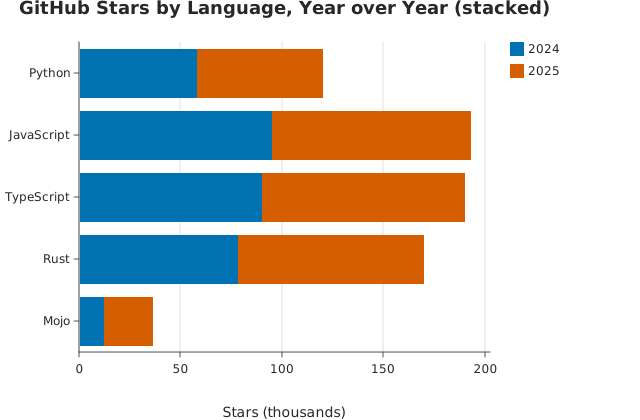
Usage
from dataviz import Plot, save


def main() raises:
    var languages: List[String] = [
        "Python",
        "JavaScript",
        "TypeScript",
        "Rust",
        "Mojo",
    ]
    var series_names: List[String] = ["2024", "2025"]
    var stars_thousands: List[List[Int]] = [
        [58, 95, 90, 78, 12],
        [62, 98, 100, 92, 24],
    ]

    var plot = (
        Plot()
        .mark_stacked_bar(horizontal=True)
        .encode_grouped_bar(
            categories=languages,
            series_names=series_names,
            values=stars_thousands,
        )
        .labels(
            title="GitHub Stars by Language, Year over Year (stacked)",
            x_title="Stars (thousands)",
        )
    )
    save(plot, "docs/src/examples/out_horizontal_stacked_bar.svg")
Related
Related recipes: Horizontal Grouped Bar · Horizontal Lollipop