Percent Stacked Bar
Percent Stacked Bar
Use this when: You need to normalize a stacked bar chart’s segments to 100% per category with Plot.mark_stacked_bar(percent=True), so every column reads as a composition (relative share) instead of an absolute total.
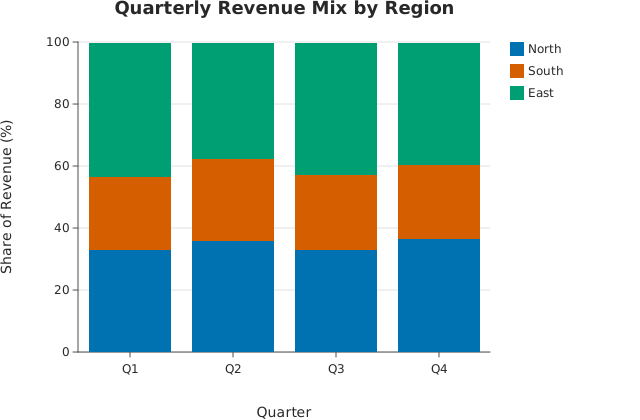
Usage
from dataviz import Plot, save


def main() raises:
    var quarters: List[String] = ["Q1", "Q2", "Q3", "Q4"]
    var series_names: List[String] = ["North", "South", "East"]
    var values: List[List[Float64]] = [
        [42.0, 48.0, 45.0, 61.0],
        [30.0, 35.0, 33.0, 40.0],
        [55.0, 50.0, 58.0, 66.0],
    ]

    var plot = (
        Plot()
        .mark_stacked_bar(percent=True)
        .encode_grouped_bar(
            categories=quarters,
            series_names=series_names,
            values=values,
        )
        .labels(
            title="Quarterly Revenue Mix by Region",
            x_title="Quarter",
            y_title="Share of Revenue (%)",
        )
    )
    save(plot, "docs/src/examples/out_percent_stacked_bar.svg")
Related
Related recipes: Indexed-to-100 Comparison · Step Interpolation