Dark Theme
Dark Theme
Use this when: You need to apply dark(), including dark-compatible axes, annotations, tracks, and color scales.
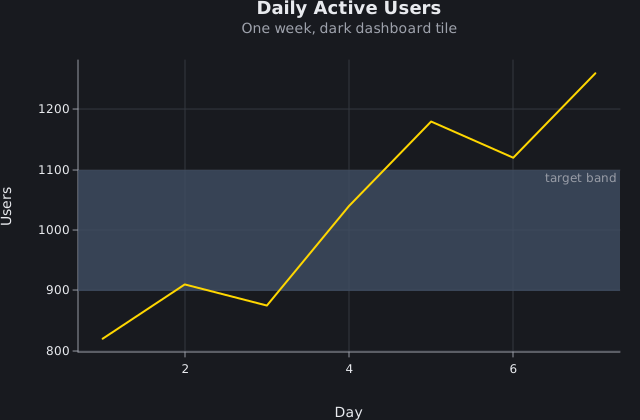
Usage
from dataviz.core.colors import GOLD
from dataviz import Plot, save
from dataviz.core.themes import dark


def main() raises:
    var days: List[Float64] = [1.0, 2.0, 3.0, 4.0, 5.0, 6.0, 7.0]
    var active_users: List[Float64] = [
        820.0,
        910.0,
        875.0,
        1040.0,
        1180.0,
        1120.0,
        1260.0,
    ]

    # A preset is a starting point, not a mode: `Theme`'s fields are
    # plain `var`s, so override the ones you want and keep the rest.
    var theme = dark()
    theme.mark_color = GOLD

    var plot = (
        Plot()
        .mark_line()
        .encode(x=days, y=active_users)
        .labels(
            title="Daily Active Users",
            subtitle="One week, dark dashboard tile",
            x_title="Day",
            y_title="Users",
        )
        .annotate_area(900.0, 1100.0, label="target band")
        .theme(theme)
    )
    save(plot, "docs/src/examples/out_dark_theme.svg")
Related
Related recipes: Print-Safe (Grayscale) Theme · Minimal Theme